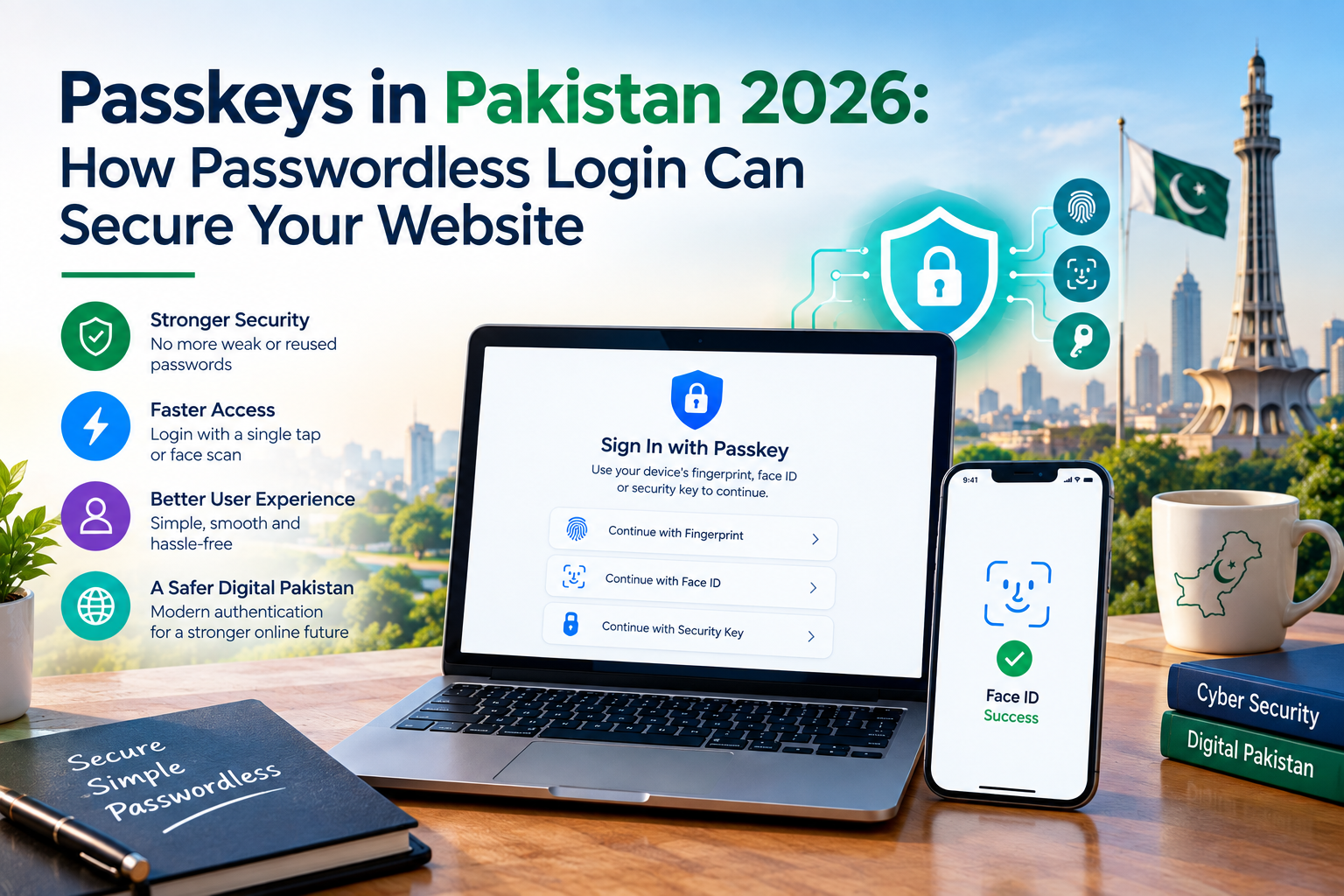
Passwords are still creating account risk, support tickets and avoidable login friction. Passkeys are moving into mainstream web development. This practical guide explains how they work, what they change for Pakistani e-commerce stores and web applications, and how to introduce them without locking customers out.
1. Why passwords still create business risk
For an online store, customer portal or staff dashboard, login is more than a form in front-end code. It is the first security decision your business makes after a customer arrives. If the credential is easy to guess, reused elsewhere or captured through a fake login page, the damage can reach far beyond one account.
The three recurring problems are familiar to most Pakistani businesses:
- Phishing and fake login pages: a convincing copy of a brand page can ask a customer to enter credentials before sending them to an attacker.
- Reuse and credential stuffing: a password exposed by one service may be tried automatically against another service where the user has reused it.
- Password-reset workload: forgotten passwords, locked accounts and one-time-code delivery create avoidable support time and abandoned sessions.
SMS one-time passwords can add another step, but an SMS code is not automatically phishing-resistant. The stronger goal is to reduce the amount of secret material that can be typed, copied or replayed during a normal sign-in.
Passkeys address that specific problem. They do not replace HTTPS, software updates, role-based permissions, backups, monitoring or an incident-response plan. They are one strong layer in a wider web-security system.
2. What is a passkey?
A passkey is a digital credential built on public-key cryptography. Instead of sending a reusable password to a website, the user's device creates a public–private key pair. The public key is stored by the website, while the private key remains protected by the device, operating system or password manager.
When a person signs in, the authenticator proves possession of the private key by signing a one-time challenge from the server. The server verifies the signature and creates the authenticated session. The private key does not need to leave the device, and the website does not need to store a copy of the user's biometric data.
- Registration: the website creates a challenge and registration options, then asks the authenticator to create a new credential.
- Verification: the website checks the returned credential information and stores the credential ID and public key.
- Sign-in: the server sends a fresh challenge to the browser or app.
- User approval: the person unlocks the authenticator with a supported device method such as a fingerprint, face scan or PIN.
- Server verification: the service checks the signature, origin, relying-party ID, challenge and required security flags before creating a session.
Important distinction: a passkey is not the fingerprint or face scan itself. Those checks happen locally to unlock the protected credential. The website receives a cryptographic proof, not a reusable secret or a copy of the biometric.
Google's passkey documentation explains the role of public-key cryptography, device-bound credentials and cross-device use. The FIDO Alliance passkey resources provide the wider standards context.
3. Why passkeys are trending in 2026
Passkeys are no longer limited to security demonstrations or a small group of early adopters. The FIDO Alliance's State of Passkeys 2026 report, based on research with 11,000 consumers and 1,400 enterprise decision-makers across ten countries, reports that:
- 5 billion passkeys are estimated to be in use worldwide;
- 90% of people are aware of passkeys;
- 75% have enabled one on at least one account;
- 49% use them regularly when available; and
- 68% of organisations have deployed or are actively deploying passkeys for employee sign-ins.
The same report says 82% of organisations view fully passwordless authentication as an ultimate workforce goal, while 28% say they have already achieved that goal. These figures are survey and ecosystem findings, not a guarantee for every business, but they show that user familiarity and platform support have reached a meaningful point.
The standards underneath are also becoming more stable. The W3C published WebAuthn Level 3 as a Recommendation on August 25, 2026. WebAuthn is the browser-facing API used by passkey-based authentication; FIDO2 also includes the client-to-authenticator protocols.
For a business, the practical trend is not “delete every password tonight.” It is “make passkeys the safest and easiest preferred path, then design recovery deliberately.”
4. What passkeys change for Pakistani businesses
The most useful passkey projects are connected to a real login problem. They are not a decorative security badge added to a brochure website. Here are common opportunities for businesses in Karachi and across Pakistan.
E-commerce accounts and customer dashboards
An online store can use a passkey for sign-in to a customer account, order history, saved delivery details and returns. The benefit is a shorter and more familiar login experience, combined with a credential that is not a reusable password. Payment authorization, order permissions and account recovery still need separate controls.
Customer portals and web applications
Property portals, service dashboards, membership systems and custom web applications often contain more sensitive information than a public website. Passkeys can protect the sign-in step while role-based permissions decide what each user may see or change. For a custom web application in Karachi, passkeys can sit alongside the existing account and permission model.
Staff and administrator access
Admin accounts are a high-value target because they can reach customer records, payments, reports and integrations. Passkeys reduce the amount of password material stored by the business. For the most sensitive administrative actions, a team can also consider device-bound security keys and a fresh re-authentication step.
Booking and service workflows
Booking, appointment and field-service systems can use passkeys to reduce repeated password resets for returning customers and staff. A reliable API integration can connect the login event to the business system, but the authentication implementation must still verify the challenge and response on the server.
| Business surface | Practical passkey use | What still needs attention |
|---|---|---|
| E-commerce | Customer sign-in, order history and account access | Payment controls, order permissions and refunds |
| Web application | User and staff authentication | Role-based access, API authorisation and audit logs |
| Admin panel | Protection for high-privilege accounts | Device policy, re-authentication and recovery |
| Booking or field service | Faster returning-user access | Appointment rules, notifications and data minimisation |
5. Passkeys vs passwords, OTP and MFA
“Passwordless” does not mean that every business needs to remove every second factor on day one. It means choosing the strongest method that fits the risk, the user journey and the recovery process.
| Method | User action | Strength | Important limitation | Best role |
|---|---|---|---|---|
| Password | Types or recalls a reusable secret | Familiar and inexpensive to deploy | Reuse, phishing, guessing and reset burden | Controlled migration fallback |
| SMS OTP | Enters a code sent to a phone | Adds a second factor without an authenticator app | Phone and SIM risks; not inherently phishing-resistant | Temporary or risk-based extra check |
| TOTP authenticator | Enters a rotating code from an app or device | Works without a carrier network | Users can still be tricked into sharing a code | Second factor where the flow is assessed |
| Passkey | Unlocks a device-backed credential | Phishing-resistant by design and usually faster | Recovery, device changes and account linking need planning | Preferred sign-in method |
The best migration is often passkey-first, not passkey-only. Keep the old route available only where it is needed, make the passkey option clear for supported devices, and never create a weak recovery path that undermines the stronger primary login.
6. How passkey authentication works on the web
From a developer's perspective, passkeys are not a single JavaScript button. A complete system has four parts:
- Relying party: the website or application that creates and verifies passkeys.
- Server: creates challenges, stores public-key credentials, verifies signatures and starts a secure session.
- Authenticator: a phone, laptop, desktop, platform password manager or hardware security key that holds the private key.
- Browser or operating system: shows the user-verification flow and protects the credential from unauthorised use.
On the web, the browser uses the WebAuthn API. The client calls the API, but the security decision is completed on the server. A server should generate a fresh, single-use challenge, verify the expected origin and relying-party ID, check user-presence and user-verification requirements, validate the signature and only then create a session.
WebAuthn API → verify response → store credential ID and public key
server challenge → device signature → verify origin, challenge and signature
Google recommends using a maintained server-side library instead of reimplementing the complete WebAuthn ceremony from scratch. Its passkey developer guide explains registration and authentication flows, and its server documentation covers credential verification, challenges and flags.
Teams should also choose the authenticator policy deliberately. A synced passkey can be available through a platform or password-manager account and can make cross-device use easier. A device-bound passkey is tied more closely to one device or hardware key and can be useful for higher-risk staff access. The right choice depends on the account, threat model and recovery policy.
7. A practical rollout plan for Pakistani SMEs
A controlled pilot gives a business evidence before it changes every customer journey. Use the following plan as a starting point, then adjust it for the size of the user base and the sensitivity of the data.
| Phase | What to do | Useful evidence |
|---|---|---|
| Days 1–30: map the risk | List every login surface, admin role, account-recovery route and current support pain point. Record the baseline for reset requests and failed logins. | A prioritised list of flows and risks |
| Days 31–60: run a small pilot | Add a passkey after a successful sign-in for a limited group or one portal. Keep the fallback controlled and explain the recovery route. | Successful registrations, login success and support questions |
| Days 61–90: test and expand | Test Android, iOS, Windows and macOS devices where relevant. Add admin re-authentication, monitor events and train support staff. | Fewer risky fallback events, fewer reset tickets and clear audit records |
Promote passkeys at moments when trust is already established, such as immediately after a successful account sign-in or during account-security settings. Do not interrupt a user with a passkey prompt after a failed login or a suspicious event. Those moments need recovery and fraud review instead.
Support training should cover a new phone, a deleted passkey, a shared device, a customer who cannot use biometrics and a user who has two accounts. If the team cannot explain those paths clearly, the login experience will fail even when the cryptography is correct.
8. Passkey security checklist before launch
Before a website calls its passkey feature live, check the following:
- Use HTTPS and the correct production relying-party domain.
- Use a maintained WebAuthn server library or reviewed implementation.
- Generate a new, unpredictable and short-lived challenge for each authentication.
- Verify the expected origin, relying-party ID, signature and security flags.
- Store the public key and credential ID; never store the user's private key.
- Rate-limit and log important events without writing secrets into logs.
- Design a secure recovery and passkey-removal process before launch.
- Test real devices, browsers, account changes and lost-device scenarios.
- Require fresh authentication for sensitive changes such as changing an email or administrator role.
Passkeys are an authentication method, not a substitute for authorisation. Every request to an API or business system still needs a clear permission check. Do not assume that a successfully authenticated user should automatically be allowed to view every record or perform every action.
9. When are passkeys worth it?
Passkeys are most valuable where a real account exists and the cost of a takeover is meaningful. They are less valuable on a static brochure site with no user accounts. A sensible rule is to add passkeys where the business needs stronger identity protection, not simply because the technology is trending.
- Strong fit: e-commerce customer accounts, membership portals, booking systems, customer dashboards and staff administration.
- Careful fit: internal tools with low risk and an existing reliable MFA process.
- Usually unnecessary: a static informational website that does not sign users in or protect sensitive actions.
Implementation cost depends on the current authentication stack, plugins or custom code, account volume, integrations, recovery design and security testing. A project should separate one-time implementation from ongoing support and maintenance; a headline “login feature” price alone is not enough for comparison.
Global Dezigns can help assess whether a website should use a maintained integration or a custom software development approach, then connect the login layer to the wider website development and maintenance plan.
10. Frequently asked questions
Q1. Are passkeys available in Pakistan?
Yes. Passkey availability depends mainly on the customer's device, operating system, browser and password manager, not on the customer's country. A business in Pakistan can offer passkeys to users with supported devices while keeping a clearly designed fallback for older devices and recovery situations.
Q2. Do users need to download a separate passkey app?
Usually not. The device, operating system or a built-in password manager can handle the passkey. Users may also use a compatible third-party password manager. The exact options depend on the device and browser, so the login flow should show a clear message when a passkey is unavailable.
Q3. Do passkeys completely replace passwords?
Not immediately for most websites. A safe migration usually makes a passkey the preferred sign-in method while keeping a controlled password or other recovery route until users and support processes are ready. The goal is to reduce dependence on passwords, not remove recovery planning.
Q4. What happens if a customer loses their phone?
A user may sign in with another enrolled passkey, another supported device or an approved recovery method. This must be designed before launch. Do not rely on an email-only reset that can be compromised. Test lost-device, changed-phone and shared-device scenarios with the support team.
Q5. Can a small business add passkeys to WordPress?
It depends on the authentication plugin, hosting setup and custom code. A maintained passkey integration may work, while a custom application can use WebAuthn directly through a suitable server library. Avoid installing an unknown security plugin without a review, backup and rollback plan.
Q6. Are passkeys useful for an e-commerce website?
They can be useful for customer accounts, order history, saved addresses and staff administration. Passkeys do not replace payment authorization, access permissions, HTTPS, patching or monitoring. They simply remove one shared secret from the normal login path.
Q7. How much does passkey implementation cost?
There is no universal price. Cost depends on the current authentication system, user base, recovery design, integrations, testing and whether the project uses a maintained plugin or custom WebAuthn work. A clear scope should separate implementation, security testing, support and ongoing maintenance.
Q8. Does a website receive my fingerprint or face data?
No. Biometric material stays on the user's device. The service receives a cryptographic authentication result that it can verify; it does not need a copy of the fingerprint, face or device PIN. The user still needs a safe way to manage and recover the passkey.
11. Conclusion: adopt a safer login, not just a new button
Passkeys are trending because they solve two business problems at once: they reduce the exposure created by reusable passwords and remove some of the friction that causes failed logins and support requests. The right implementation is still a serious engineering task. The server must verify the ceremony, the recovery route must be secure and the rest of the application must enforce permissions correctly.
For a Pakistani business, start with one real login surface. Add the passkey after a successful sign-in, test the devices your customers actually use, keep a controlled fallback and measure the result. If the feature makes the secure path easier without creating a new lockout problem, it is doing its job.
Ready to make your website login more secure?
Global Dezigns helps businesses design secure websites, e-commerce stores, web applications and integrations for growing teams. Talk through the right authentication and maintenance approach for your project.
Sources and further reading
- FIDO Alliance — State of Passkeys 2026
- FIDO Alliance — Passkeys and passwordless authentication
- W3C — Web Authentication Level 3
- Google for Developers — Passkeys
- Google for Developers — Passkey developer guide
